
The short answer
A blog is organized by date, which means its best page sinks as you publish more. A knowledge base is organized by question, so every page has a permanent home, a stable URL, and a route to the related pages around it. AI engines prefer the second shape because it's structured to answer rather than structured to archive — and the difference is layout and linking, not word count.
Open the analytics on a law firm blog that has been running for a few years and you tend to find the same distribution. Dozens of posts. A handful of them carry nearly all the traffic. The rest sit at close to zero — not low, zero — and have done since the month they were published.
Run the arithmetic on that and it gets uncomfortable. Whatever the firm pays per post, it is paying it for the long tail as well as the winners, and the long tail is not earning anything. The instinct is to publish harder. That makes it worse: more posts at zero, and the winners get less attention, not more.
The writing usually isn't the problem. Most of these posts are perfectly competent. The architecture is the problem. A blog is organized by when something was written, which is the one axis nobody searching for legal help cares about. The shape that works is a knowledge base: organized by the question the reader arrived with.
Blog versus knowledge base
A blog is organized by time. Posts have dates. The newest one appears on top. Older posts disappear into archive pages no one visits. The implicit assumption is that someone is following along, like a magazine subscriber waiting for the next issue.
A knowledge base is organized by topic. Articles live under categories. They get updated rather than replaced. The most important pages are the most prominent regardless of when they were written. The implicit assumption is that someone arrived with a question, like a Stack Overflow visitor looking for a specific answer.
A law firm has roughly zero people following along. Almost everyone arriving at a law firm site arrived because they have a specific question right now. "What's the penalty for a first DUI in Arizona?" or "How long do I have to file a personal injury claim in Texas?" or "Can I be fired for using FMLA leave?" These questions don't need a blog post. They need an answer.
That's the architectural difference. Everything else flows from it.
Same firm, different architecture
Blog
organized by time
Newest post on top, everything stamped with a date
Old answers sink into archives nobody opens
Built for a subscriber who's following along
"Florida Slip and Fall Cases" buries the answer on page two
Knowledge base
organized by topic
Pillars up top, question pages underneath them
Pages get updated, never replaced
Built for someone who showed up with one question
Opens with "Four years, under Fla. Stat. 95.11"
What a real law firm knowledge base looks like
Three layers, top to bottom.
Practice-area pillars. One page per major practice area, treated as the hub. Not a sales page. A genuinely informative overview that answers the foundational question: what is this area of law, what does it cover for the client, what should they expect from a case. Schema: LegalService with serviceType filled in properly. Length: 1,500 to 2,500 words.
Topic clusters under each pillar. Each practice area gets 6 to 15 deeper question-format pages underneath. "What are the penalties for X?" "How long does Y take?" "Can my employer Z?" Each one structured as a real FAQ page with FAQPage schema, where the heading is the question and the first 40 to 80 words contain the direct answer. Length: 600 to 1,200 words per page.
Cross-cutting reference pages. A small number of articles that don't fit cleanly under one practice area: "What to bring to your first consultation," "How attorney-client privilege works," "How contingency fees actually work." Evergreen, updated annually, linked from every practice-area pillar. Length: 800 to 1,500 words.
For an estate planning firm, the rebuilt structure looks something like this:
PRACTICE PILLARS (4)
├── /estate-planning/                    [pillar, 2,100 words]
├── /trust-administration/                [pillar, 1,800 words]
├── /probate/                             [pillar, 1,900 words]
└── /elder-law/                           [pillar, 1,700 words]

TOPIC CLUSTERS UNDER EACH PILLAR (8-12 each)
├── /estate-planning/wisconsin-will-requirements/
├── /estate-planning/revocable-vs-irrevocable-trust/
├── /estate-planning/digital-asset-planning/
├── /probate/how-long-does-probate-take-wisconsin/
├── /probate/avoid-probate-strategies/
└── ... (about 40 topic pages across all four practices)

CROSS-CUTTING REFERENCE PAGES
├── /resources/what-to-bring-first-consultation/
├── /resources/how-flat-fees-work-estate-planning/
├── /resources/attorney-client-privilege-explained/
└── /resources/glossary-of-estate-planning-terms/
That's roughly 50 pages total. Around two-thirds the size of the original 73-post blog. The pages work harder because each one answers a specific question and reinforces the relevant practice pillar through proper internal linking.
For more on how to wire these pages together so the architecture actually compounds, see the internal linking guide for law firms.
Why AI engines prefer this shape
When ChatGPT or Perplexity gets asked "What's the statute of limitations on a slip and fall in Florida?" the engine is looking for a passage it can lift wholesale into the response. The passage needs to be:
- Authored by an entity the engine recognizes as authoritative (the firm and the named attorney)
- Phrased as a direct answer, not "There are many factors to consider..."
- Complete enough to stand alone, not "see our other article for details"
- Locatable, which means it lives under a clear H2 or H3 with the question in it
A blog post titled "Florida Slip and Fall Cases" that wanders through introduction, history, and three case examples before mentioning the statute of limitations on page two will lose to a knowledge base article titled "What is the statute of limitations for a slip and fall in Florida?" that opens with "Four years from the date of the injury, under Florida Statute 95.11."
Same firm, same information, same expertise. Different page architecture. Different citation outcomes.
This connects directly to the foundational AEO playbook for getting cited by ChatGPT, and to the comparison of how SEO and AEO actually differ for legal content. Both pieces walk through the structural rules in more detail.
A real FAQ page in JSON-LD
The FAQPage schema is what makes question-format pages legible to AI engines. The bare minimum looks like this:
{
  "@context": "https://schema.org",
  "@type": "FAQPage",
  "mainEntity": [
    {
      "@type": "Question",
      "name": "How long do I have to file a personal injury claim in Texas?",
      "acceptedAnswer": {
        "@type": "Answer",
        "text": "Two years from the date of the injury under Texas Civil Practice and Remedies Code Section 16.003. Some exceptions apply, including for minors and cases against government entities, where shorter notice requirements may apply."
      }
    },
    {
      "@type": "Question",
      "name": "What can I recover in a Texas personal injury case?",
      "acceptedAnswer": {
        "@type": "Answer",
        "text": "Economic damages (medical bills, lost wages) and non-economic damages (pain and suffering, mental anguish). Texas does not cap economic damages in most cases, but punitive damages are capped under Civil Practice and Remedies Code Section 41.008."
      }
    }
  ]
}
Validate every FAQ page in the Google Rich Results Test before deploying. AI engines parse FAQPage schema specifically and the citation rate from pages with valid schema is meaningfully higher than from pages without.
The migration path for an existing blog
If your firm has an existing blog with 40 to 80 posts, the right move isn't to delete it all immediately. Audit, consolidate, restructure.
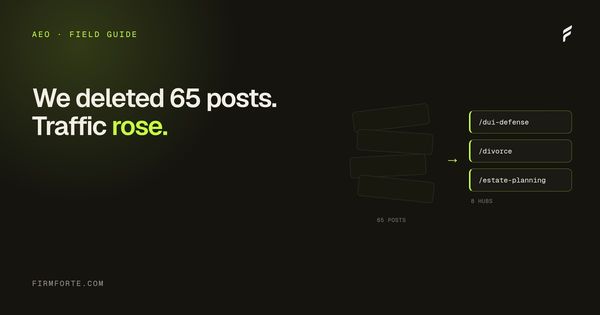
Step one: pull the analytics. Find the posts that get any traffic at all. On most law firm blogs that is a single-digit number, and everything else is producing zero pageviews. Make the list before you make any decisions — the answer is usually more lopsided than anyone expects, and it is much easier to argue for deleting sixty pages when the report is on the table.
Step two: take the 5 to 10 winners and reshape them. Convert into question-format pages with FAQPage schema. Move them out of /blog/ and into a knowledge-base structure (something like /learn/ or /resources/ or under each practice area). Set up 301 redirects from the old URLs.
Step three: identify the gap. What are the 20 to 30 most common questions clients ask your firm? The receptionist usually knows. The intake forms know. Write or rewrite a page for each. Make them complete. Make them direct.
Step four: archive or noindex everything else. Yes, 40 posts disappear. Yes, that feels like loss. The posts were already producing zero traffic. Removing them strengthens the rest of the site by concentrating topical authority on pages that actually matter.
Most law firms balk at step four. The few that do it see the rest of the site lift within 90 days. The principle behind this is the same principle that killed programmatic city pages: thin content drags down the rest of the domain. The piece on why we stopped building location landing pages covers the Helpful Content update mechanics in more detail. The same mechanics apply to thin blog content.
What to measure
Three KPIs for whether the knowledge base is working:
Traffic per page. A healthy KB page gets 30+ organic visits per month within six months of publication. Below that, the page either has the wrong topic, the wrong structure, or both.
Time on page. A real question-answer page has 2:00 to 5:00 average time on page. Below 1:00 means the visitor bounced before reading the answer, often because the answer wasn't visible immediately or the page was overstuffed with sales copy.
Conversion to consultation. The knowledge base is a top-of-funnel asset, but specific high-intent pages convert. A "What's the statute of limitations for [practice] in [state]" page should convert 1-3% of visitors to a consultation form submission. Below 0.5% means the CTA is poorly placed or the page is being read by the wrong audience.
Bonus metric: AI citation rate. Run your top 10 target queries through ChatGPT and Perplexity every quarter. Count how many cite your firm. The knowledge base should be moving this number upward over time. For the entity work that supports the citation rate, see the entities SEO playbook and the E-E-A-T guide.
What we do at FirmForte
Every build we ship structures content this way by default. It's the content layer of our AEO service. Practice-area pillars, question-format pages underneath, cross-cutting reference articles, and FAQPage schema on every question page. We don't build "blog" sections unless the firm has a specific reason for one: a partner who writes regularly, a CLE-teaching attorney, a true thought-leadership angle. Otherwise it's all knowledge base.
It's slower to set up than spinning up a WordPress blog with categories, and it asks the firm to delete work it paid for, which is the part people find hardest. What it buys is a content operation that gets smaller over time instead of larger: fewer pages, each one maintained, each one answering something a client actually asks.
Questions we get about this
-
What's the difference between a law firm blog and a knowledge base?
A blog is ordered by publication date; a knowledge base is ordered by topic and question. The consequence is that a blog buries its best work — the page that answers your highest-value question drops down a reverse-chronological list every time you publish something new — while a knowledge base keeps it at a stable, linked address. A knowledge base also makes internal linking natural, because pages sit in clusters around a hub rather than in a single undifferentiated stream. You don't need new content to make the switch; you need a different arrangement of what you have.
-
Do I have to delete my existing blog posts?
No — start by reorganizing rather than deleting. Group the posts you already have into topic clusters, pick or write a hub page for each cluster, and link the hub to its posts and the posts back to the hub. Posts that are genuinely redundant should be merged into the stronger version with a redirect, not left as competing near-duplicates. Delete only the pages that are both thin and unsalvageable, and do it after you've checked whether anything links to them.
-
Why do AI engines prefer a knowledge base structure?
Because retrieval works on pages, and a knowledge base gives every question its own stable, well-linked page. When an engine looks for the answer to a specific question, a dedicated page with that question as its heading is a cleaner match than paragraph six of a general article. Clustering also helps the engine understand what your firm is authoritative about, since a hub with ten linked pages on one topic reads as depth in a way ten scattered posts don't. None of this requires more words — it requires the words to be findable.
-
How many pages does a law firm knowledge base need?
Enough to cover the questions your clients actually ask, which for most firms is a few dozen rather than a few hundred. Start with the questions you answer on the phone every week — those have proven demand and you already know the answers. Add pages when there's a real question to answer, not to hit a monthly quota, because a knowledge base full of padding is just a blog with better navigation. One well-linked cluster of eight solid pages beats forty orphans.