
The short answer
It means your practice areas, city, phone number, and page content are present in the HTML the server returns, before any script runs. It matters because your browser executes the JavaScript and fills in the gaps, so a site can look complete to you and arrive empty to a crawler that doesn't. That's the failure mode behind a surprising share of AI-invisibility problems.
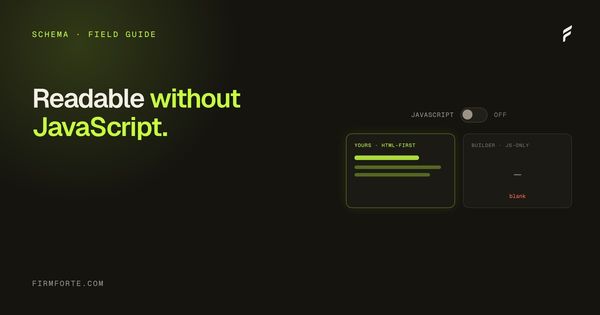
"Readable without JavaScript" means the real content of your page (your practice-area copy, your headings, your answers) is present in the raw HTML a crawler receives, not assembled by scripts after the page loads. It matters because search and AI crawlers often read that initial HTML, and if your content only appears once JavaScript runs, some of them see a blank shell. It's a checker signal because it's a clean pass/fail: either engines can read your page, or they can't.
Here's what it means in practice, why it sinks so many law firm sites quietly, and how to check whether yours passes.
What does "readable without JavaScript" mean?
Every web page starts as raw HTML that the server sends, and modern sites often use JavaScript to build or fill in content after that HTML arrives. "Readable without JavaScript" asks a simple question: if you strip the scripts away and look at just the initial HTML, is your actual content there? If yes, the page is readable without JavaScript. If the HTML comes back nearly empty and the content only materializes once scripts run in a browser, it isn't.
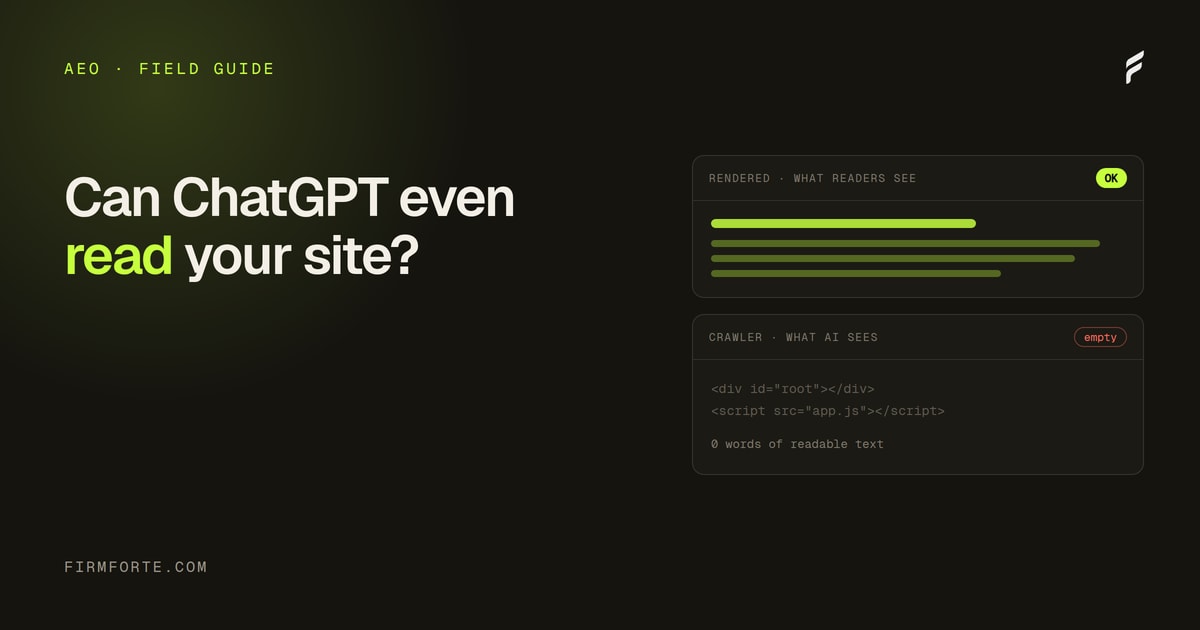
This distinction is invisible to you, because your browser always runs the JavaScript, so you always see the finished page. A crawler doesn't necessarily. Some read the raw HTML and move on; others render the scripts but on a delay or a budget; a few don't render at all. So the same page that looks perfect to you can look empty to a bot, depending on whether your content is baked into the HTML or painted on afterward. The whole issue lives in that gap between what you see and what a crawler receives.
Why does it matter for a law firm?
Because a page an engine can't read is a page that can't rank or be cited, no matter how good it is. If your practice-area content depends on JavaScript to appear, a crawler that reads only the raw HTML sees a blank page where your best writing should be, and treats your firm accordingly: as having nothing to say. All the effort you put into the content is wasted if the content isn't in the HTML.
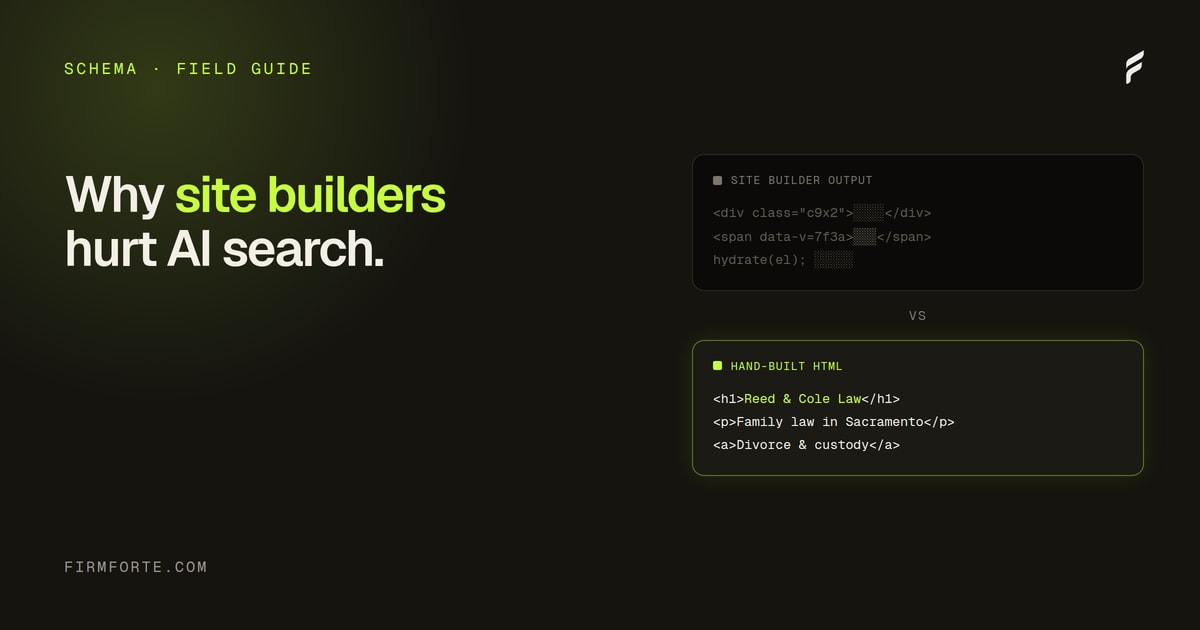
This hits AI visibility especially hard, because AI crawlers are generally less patient about rendering JavaScript than Google is. An engine trying to answer "who's a good estate planning lawyer in my area" and pulling from web content will simply skip a page it can't read cleanly, and cite a competitor whose content is right there in the HTML. So a JavaScript-dependent site doesn't just risk ranking lower; it risks being invisible to the answer engines entirely, which is the exact failure we document in why website builders hurt law firm AI search.
Don't crawlers run JavaScript now?
Google's crawler can render JavaScript, but relying on that is a gamble, and it doesn't help you with the engines that don't. Googlebot renders scripts in a second pass that can be delayed and is subject to a rendering budget, so JS-dependent content gets indexed slower and less reliably than content that's in the HTML from the start. And many AI crawlers don't render at all.
So the honest picture is: "readable without JavaScript" isn't strictly mandatory for Google in every case, but it's the safe, reliable choice, and it's close to mandatory for AI visibility. Depending on Google's rendering to eventually catch your content is betting your firm's visibility on a delayed, budgeted process working perfectly, when you could just put the content in the HTML and remove the risk. For a law firm, where the AI answer engines are an increasingly important channel, the JavaScript dependency is a liability with no upside. Serving real HTML is simply the reliable option.
What causes a site to fail this?
Client-side rendering, mostly. Sites built as single-page applications that assemble everything in the browser, DIY website builders that inject content via scripts, and setups where the meaningful content is loaded in after the initial HTML are the usual culprits. The common thread is that the content isn't in the server's response; it's constructed later, in the visitor's browser.
DIY builders like Wix and Squarespace are the mass-market version of this problem, because their convenience often comes from heavy client-side rendering that produces a thin initial HTML. Proprietary agency platforms can have the same issue if they build pages in ways crawlers don't read. The pattern to watch for is any setup where your content's existence depends on scripts executing successfully. A well-built site on a solid platform serves your content in the HTML by default, which is one more reason the underlying platform decision matters as much as it does.
How do you check whether your site passes?
Look at your page the way a crawler does, as raw HTML before any scripts run. The fastest way is a crawler's-eye view tool that fetches your page as a bot would and shows you what's actually in the response. Our crawler's-eye view tool does this, free: if your headings, practice-area text, and answers are present in that view, you pass; if the page comes back mostly empty, you don't.
This is the same check that catches missing schema, since structured data has to be in the served HTML too, which is why it's part of the routine in how to test your law firm schema before it goes live. You can also disable JavaScript in your browser and reload the page, or view the page source directly, though a dedicated tool is clearer — our free crawler's-eye view shows the exact text a non-JavaScript crawler pulls from your homepage. The key is to check the raw response, not the rendered page, because the rendered page always looks fine. It's the same diagnostic behind how to check if ChatGPT can read your website, and it answers the most fundamental AEO question there is: can the engines see your content at all?
How do you fix it?
Serve your content in the HTML, which usually means the platform, not a plugin, has to change. The reliable fixes are server-side rendering or a static site, both of which deliver real, complete HTML to every crawler on the first request, with no dependence on scripts running. That's a foundational choice about how the site is built, not a setting you toggle.
For most law firms, this means building on a platform that serves real HTML by default rather than one that assembles pages in the browser. It's the same reason we're firm about the underlying build: readability, schema, speed, and AI visibility all trace back to whether the site serves genuine content or paints it on afterward. Get that right and "readable without JavaScript" stops being a problem you have to think about, because the content is simply always there. To see exactly what the crawlers can read on your current site, run the free review, and every site we build serves real, crawlable HTML from the start through our AEO service.
Questions we get about this
-
What does "readable without JavaScript" mean?
That the substance of the page — the text, the practice areas, the location, the contact details — is in the HTML the server sends, rather than being assembled in the browser afterwards. You can check by disabling JavaScript or viewing the raw response and seeing what's actually there. If the page comes back nearly empty, everything a reader sees is being built client-side. That's fine for a human with a modern browser and a real problem for anything that doesn't run scripts.
-
Don't crawlers run JavaScript now?
Googlebot does, with a delay and a cost, but that isn't the whole picture. Rendering is queued rather than immediate, so JavaScript-dependent content is discovered later and re-checked less often. More importantly, several AI crawlers don't execute JavaScript at all, so a site that only renders client-side simply has no content from their perspective. Relying on rendering means depending on the most capable crawler and being invisible to the rest.
-
How do I check whether my law firm site passes?
Disable JavaScript in your browser and reload a key page, or fetch the URL and read the raw HTML. Look for the specifics — practice areas, city, phone number, the actual body copy — rather than just whether something appeared. Do it on the pages that matter, not only the homepage, since page templates often differ. It takes a couple of minutes and tells you more than any other single check.
-
How do you fix a site that fails?
Server-render the content, which on most platforms means changing how the page is built rather than adding anything. Where that isn't available, the practical fixes are making sure critical content is in the initial HTML even if enhancements load later, and avoiding builders that render everything client-side. If the platform can't do it, that's a genuine reason to consider moving, unlike most reasons firms are given. Recheck after any template or platform change.