
The short answer
Two checks, both under ten minutes. Read your robots.txt for rules naming GPTBot, ClaudeBot, PerplexityBot, Google-Extended, or CCBot — some platforms and security plugins add those blocks without anyone deciding to. Then fetch a key page with JavaScript disabled and confirm your practice areas, city, and phone number are in the raw response. If either check fails, nothing else you do for AI visibility matters yet.
You can check whether ChatGPT can read your site in a few minutes, and two things decide the answer. First, whether your robots.txt lets the AI crawlers in. Second, whether your pages actually contain readable text once a crawler arrives, or whether they render as an empty shell that needs JavaScript to fill in. If either check fails, the AI engines can't read you, and one of them means they can't cite you at all.
Most firms have never run either check, which is why "we're just not showing up in ChatGPT" so often turns out to be a door that was quietly locked. Here's how to test both, and what to do about what you find.
Why does it matter whether ChatGPT can read your site?
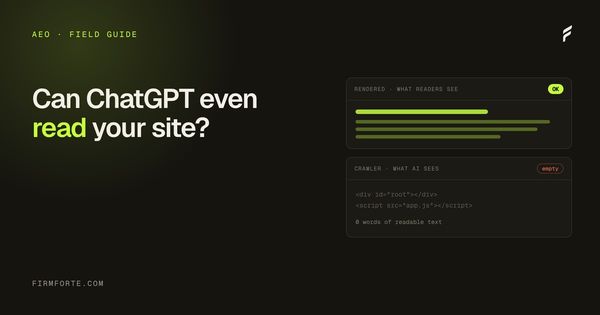
Because if an AI engine can't access or parse your pages, you don't exist to it. If your robots.txt blocks GPTBot, ChatGPT can't retrieve your content, which means it can't cite you no matter how good your pages are. And if your content only appears after JavaScript runs, a crawler that reads the raw HTML may see a nearly blank page where your practice-area copy should be.
These are access problems, not quality problems, and that distinction matters. You can have the best-written, best-structured content in your market and still be invisible because a setting in a file most lawyers have never opened is turning the crawlers away. It's the cheapest kind of problem to have, because fixing a blocked crawler or a rendering issue is a one-time technical change, not a months-long content effort. But you have to find it first, and nobody finds it by accident.
How do you check whether AI crawlers are allowed in?
Open your robots.txt directly. Type your domain followed by /robots.txt into a browser (like yourfirm.com/robots.txt) and read what's there. You're looking for any Disallow rule aimed at the AI crawler user-agents. If you see a bot name followed by Disallow: /, that bot is being turned away from your entire site.
The file is plain text and easier to read than it looks. Each block starts with a User-agent: line naming a crawler, followed by Allow or Disallow rules. A line like User-agent: GPTBot then Disallow: / means ChatGPT's crawler is blocked from everything. If you'd rather not read it by hand, several free AI-crawler checkers will parse your robots.txt against the major bots and show you, line by line, which are allowed and which are blocked. The important thing is to actually look, because plenty of law firm sites ship with AI crawlers blocked by a default someone never revisited, or by a "privacy" plugin that turned them off without saying so.
Which AI crawlers should you look for?
Five names cover most of what matters. Check your robots.txt for each, because they feed different engines and blocking one only affects that engine. Being open to Google but closed to OpenAI is a common and invisible half-block.
- GPTBot and ChatGPT-User — OpenAI's crawlers, feeding ChatGPT. Block these and ChatGPT can't retrieve or cite your pages.
- ClaudeBot — Anthropic's crawler, feeding Claude.
- PerplexityBot — Perplexity's crawler. Block it and Perplexity can't cite you.
- Google-Extended — Google's token for AI training and some AI features, separate from regular Googlebot. You can rank in Google Search while being closed to this.
Cloudflare, which sits in front of a large share of the web, has documented how sharply AI crawler traffic has climbed, in its 2025 look at who's crawling the web now. These bots are visiting sites constantly. The only question is whether yours lets them past the door.
How do you check that your content is actually readable?
See your page the way a crawler does: as raw HTML, before any JavaScript runs. If your practice-area text, headings, and answers are present in that raw version, you're fine. If the page comes back mostly empty and the real content only appears in a normal browser, your site depends on JavaScript to render, and some crawlers will see the empty version.
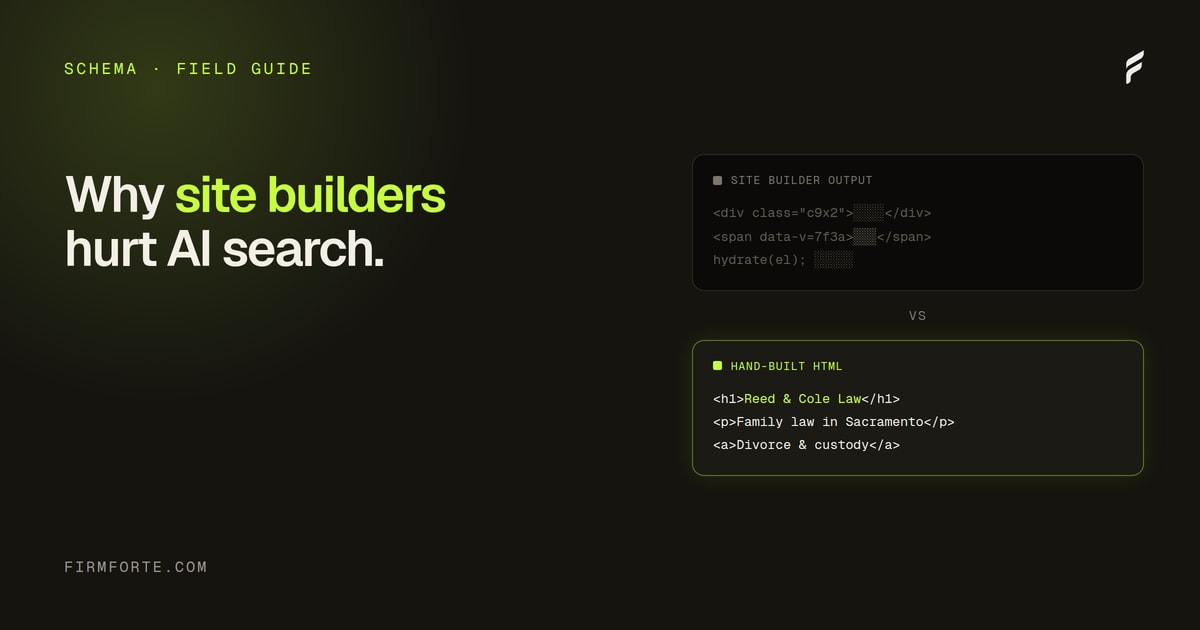
This is the failure mode that quietly sinks a lot of DIY-builder sites. A page can look perfect to you and to a human visitor, because your browser runs the JavaScript that assembles it, while a crawler reading the initial HTML gets a shell. The quickest way to check is a crawler's-eye view tool that fetches your page as a bot would and shows you what's actually there. Our crawler's-eye view tool does exactly this, and it's free. If the content is missing from that view, the problem is your platform, not your writing, which is the exact trap we cover in why website builders hurt law firm AI search.
What if you're blocking the crawlers by accident?
Fix the robots.txt. If you found a Disallow aimed at an AI crawler you didn't mean to block, edit the file (or have whoever manages your site edit it) to allow those user-agents, then re-check. If the problem was JavaScript rendering, the fix is deeper: the site needs to serve real content in its HTML, which sometimes means the platform itself has to change.
The robots.txt fix is usually quick, but it exposes a bigger question you should answer on purpose rather than by default: do you actually want AI engines reading your site? For a law firm trying to be found and cited, the answer is almost always yes. Blocking the crawlers to "protect" your content also removes any chance of being the source an engine quotes. That's the trade, and it should be a decision, not an accident left in a config file. Being readable is the floor, though, not the finish line. Once the crawlers can get in and see real text, what earns the actual citation is everything in how AI engines decide which law firm to cite.
Should a law firm ever block AI crawlers?
Rarely, and only on purpose. Some businesses block AI crawlers to keep their content out of training data or to stop scraping, and that's a legitimate choice for, say, a publisher whose words are the product. For a law firm whose goal is to be found by potential clients, blocking the engines that could surface you is working against yourself.
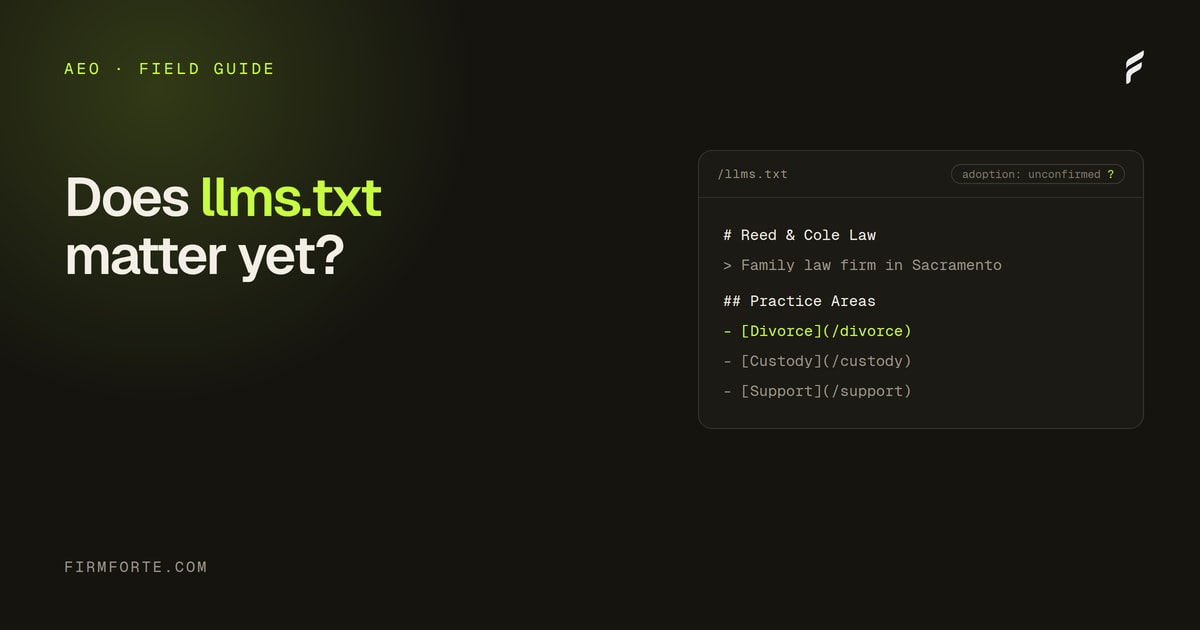
So the honest default for almost every firm is: let them in, and make sure your pages say something once they arrive. If you've been told llms.txt is the fix for AI visibility, it isn't, and we explain why in whether llms.txt matters for law firms. The real work is duller and it works: an open door and readable content. To see exactly what the crawlers can and can't reach on your site, run the free review, or build it in from the start with our AEO service.
Questions we get about this
-
How do I check whether ChatGPT can read my website?
Open yoursite.com/robots.txt and look for any rule naming GPTBot or the other AI user agents, then load a key page with JavaScript turned off and see what's actually in the response. The first tells you whether the crawler is allowed in; the second tells you whether there's anything to read once it is. Your own browser runs the JavaScript and fills the gaps, which is why a site can look complete to you and arrive empty to a crawler. Both checks are free and neither needs a tool.
-
Which AI crawlers should a law firm allow?
The ones belonging to engines your clients actually use: GPTBot for ChatGPT, ClaudeBot, PerplexityBot, and Google-Extended for Google's AI surfaces. Google-Extended is worth understanding separately — it governs AI use and is distinct from ordinary Googlebot crawling, so blocking it doesn't affect normal search but does affect AI answers. CCBot feeds Common Crawl, which many models train on. Check for each by name rather than assuming a blanket rule covers them.
-
Should a law firm block AI crawlers?
Almost never, if you want to be named when someone asks an engine for a lawyer. The argument for blocking is that engines answer questions without sending a click, which is real — but a firm that blocks them isn't in the answer at all, which is worse than being in it without a click. If you have a genuine reason to restrict something, restrict that specific content rather than the whole site. Make it a decision rather than a default you inherited from a plugin.
-
What do I do if I find AI crawlers are blocked?
Remove the rule, redeploy, and confirm the live robots.txt no longer contains it — checking the file on the live site rather than in your editor, because platforms sometimes generate their own. Then wait: crawlers re-fetch on their own schedule, so the change takes effect over weeks rather than immediately. While you wait, use the time on the second problem, which is whether your content is readable without JavaScript. Recheck robots.txt after any platform update or security plugin change, since that's how the block usually got there.