
The short answer
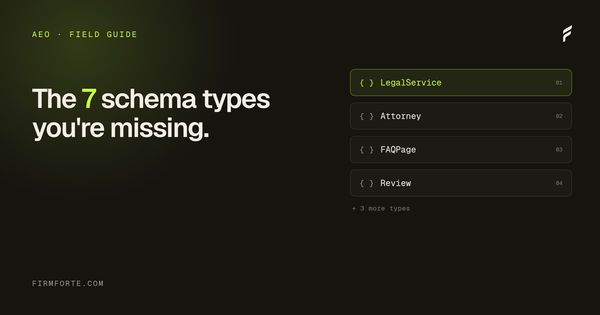
Seven types cover almost everything a law firm site needs: LegalService for the firm, LocalBusiness for each office, Person for each attorney, FAQPage for question-format pages, Service for each practice area, BreadcrumbList for navigation, and Article for posts. Ship them referenced back to one root rather than in isolation — seven types describing fragments is not the same as seven types describing a firm.
Schema markup for law firms is structured data, written in JSON-LD, that you add to a site's code so search and AI engines can read the firm as an entity: who the attorneys are, where it practices, and which questions it answers. Seven types carry the load on a legal site: LegalService, LocalBusiness, Person, FAQPage, Service, BreadcrumbList, and Article. None of them earns an AI citation on its own (that's the content's job), but together they're the cheap layer that makes good content unambiguous to a machine. Below: what each does, the JSON-LD that makes it work, the order to ship them, and how to decide between doing it yourself and hiring it out. All of it assumes an engine can read your page in the first place; if your content only appears after JavaScript runs, that's a separate problem covered in readable without JavaScript.
Try this on your own site before reading further. Open the homepage, View Source, and search the markup for application/ld+json. Count the blocks and read what they declare.
On a large share of law firm sites the answer is one block, generated automatically by an SEO plugin, declaring the page a WebPage and the post an Article. Nothing that says this is a law firm. Nothing that names an attorney. Nothing about what the firm practices or where. Years of SEO spend, and one functional schema declaration — because nobody bought schema, they bought rankings, and the plugin default came along for the ride.
It's tempting to call that the whole problem. It isn't. The missing schema was real, and we fixed it. But schema on its own was never going to be the answer, and in May 2026 Google said so directly: structured data isn't required to appear in AI answers, and there's no special markup that earns a citation. What gets a firm quoted is original, genuinely useful content on a site that's easy to crawl. Schema is the layer that makes that content unambiguous to a machine. Worth doing. Not magic.
So read the rest of this with the right expectation. These seven types are worth having, they're cheap, and they help. They're the floor, not the lever.
What each type declares, and what it hangs off
LegalService the root
"This business is a law firm, here, practicing these things." Everything else attaches to it or means less.
Person
Who practices here, and how you'd verify them.
Service
The specific matters handled, not a category label.
FAQPage
Question and answer pairs, marked as such.
BreadcrumbList
Where this page sits in the site.
Article
Who wrote it, when, and what it covers.
WebSite
The container the rest of it lives inside.
How AI engines actually use schema
One paragraph of context before the list.
Search engines crawl your HTML. AI features (Google's AI Overviews and AI Mode included) are built on those same crawling and ranking systems, and they can read a well-written page perfectly well without any schema at all. What schema does is make the structure explicit instead of asking the engine to infer it: that an attorney listed on the site is a real person, that the firm answers questions in a specific practice area, that two pages are related. That can raise the engine's confidence and keeps you eligible for rich results. It's a supporting signal, not the thing being ranked.
So this is not the line that separates AEO from classic SEO. Google's own 2026 guidance is blunt that optimizing for its AI features is just SEO done well. The real differentiators are content that answers the question and an entity a machine can recognize. Schema is one cheap input to the second of those. We unpack the broader picture in AEO vs SEO for law firms, and the entity mechanics in the entities SEO guide.
Anchor · one per site, on the homepage
LegalService @id "#firm"
The firm itself, declared once. Every other block below points back to this one @id. Lose the anchor and the rest read as orphaned.
Person
worksFor → #firmEach attorney, with real schools, bar admissions, and credentials.
Service
provider → #firmOne per practice-area page. Declares the firm's breadth.
FAQPage
mainEntityQuestion-format pages. The visible Q&A is what actually gets quoted.
BreadcrumbList
itemListElementWhere the page sits. One of the few here that still earns a rich result.
LocalBusiness
parentOrganization → #firmOne per office, only if the firm has more than one.
Article
author → PersonBlog and resource pages, tied to the attorney who wrote them.
LegalService @id, and the order shown is the sequence worth shipping them in. Miss the anchor and every other block is talking to nobody.1. LegalService: the foundational firm entity
Every law firm website needs exactly one of these, on the homepage, declaring the firm itself. Not the page, the firm. This is the anchor every other schema block hangs off. If you're wondering why it's LegalService here and not the Attorney or bare LocalBusiness type, that's its own decision, worked through in LegalService vs Attorney vs LocalBusiness schema.
The minimum viable version:
{
  "@context": "https://schema.org",
  "@type": "LegalService",
  "@id": "https://example-firm.com/#firm",
  "name": "Hartman & Reyes, PLLC",
  "url": "https://example-firm.com",
  "telephone": "+1-813-555-0142",
  "priceRange": "$$",
  "address": {
    "@type": "PostalAddress",
    "streetAddress": "401 East Jackson Street, Suite 2400",
    "addressLocality": "Tampa",
    "addressRegion": "FL",
    "postalCode": "33602",
    "addressCountry": "US"
  },
  "areaServed": [
    { "@type": "City", "name": "Tampa" },
    { "@type": "City", "name": "St. Petersburg" },
    { "@type": "City", "name": "Clearwater" }
  ],
  "knowsAbout": [
    "Personal Injury Law",
    "Wrongful Death",
    "Car Accidents"
  ]
}
Three things matter here that most law firm sites get wrong.
The @id field with a #firm fragment. This is the canonical identifier you'll use to link other schema blocks back to this entity. Person schema for attorneys will reference it. Service schema for practice areas will reference it. Without a stable @id, every block becomes orphaned and the engine reconstructs your firm from scratch on every page.
knowsAbout, not just description. Description is prose. knowsAbout is a structured list of topics the firm has expertise in. It's a clean way to state, in machine terms, what the firm actually does.
areaServed as City objects, not strings. A string "Tampa, FL" reads as a label. A typed City object reads as an entity. The engine can link a typed City to its own knowledge of that city. It can't do much with a bare string.
2. LocalBusiness: for each physical office
If the firm has one office, LegalService alone is usually enough (LegalService inherits from LocalBusiness). If the firm has multiple offices, each one gets its own LocalBusiness block on the corresponding location page.
{
  "@context": "https://schema.org",
  "@type": "LocalBusiness",
  "@id": "https://example-firm.com/offices/st-petersburg/#office",
  "name": "Hartman & Reyes, PLLC, St. Petersburg Office",
  "parentOrganization": { "@id": "https://example-firm.com/#firm" },
  "address": {
    "@type": "PostalAddress",
    "streetAddress": "100 Second Avenue South, Suite 904",
    "addressLocality": "St. Petersburg",
    "addressRegion": "FL",
    "postalCode": "33701",
    "addressCountry": "US"
  },
  "telephone": "+1-727-555-0188",
  "geo": {
    "@type": "GeoCoordinates",
    "latitude": 27.7706,
    "longitude": -82.6379
  },
  "openingHoursSpecification": [
    {
      "@type": "OpeningHoursSpecification",
      "dayOfWeek": ["Monday", "Tuesday", "Wednesday", "Thursday", "Friday"],
      "opens": "08:30",
      "closes": "17:30"
    }
  ]
}
parentOrganization is what makes this block useful. It tells the engine "this office is part of the firm declared on the homepage." Without that link, each office reads as a separate business and the firm's entity weight gets split across them.
One common mistake: copying the homepage LegalService block to every office page with the address changed. That creates two firms in the engine's graph, both claiming to be the same name, neither one strong. Use LocalBusiness for offices, LegalService once on the homepage.
3. Person: for each attorney
Of the seven, this is the one that maps most closely to something Google actually emphasizes: experience and expertise. Named, credentialed attorneys are part of how a YMYL site demonstrates it knows what it's talking about. A firm with five Person blocks, each linking to bar associations, alma maters, and admissions, gives an engine far more to work with than a firm whose attorneys appear only in body text. The full breakdown of what to put in each attorney's block is in Person schema for attorneys.
{
  "@context": "https://schema.org",
  "@type": "Person",
  "@id": "https://example-firm.com/attorneys/elena-reyes/#person",
  "name": "Elena Reyes",
  "givenName": "Elena",
  "familyName": "Reyes",
  "jobTitle": "Founding Partner",
  "worksFor": { "@id": "https://example-firm.com/#firm" },
  "url": "https://example-firm.com/attorneys/elena-reyes/",
  "image": "https://example-firm.com/attorneys/elena-reyes/photo.jpg",
  "alumniOf": [
    {
      "@type": "EducationalOrganization",
      "name": "University of Florida Levin College of Law"
    }
  ],
  "memberOf": [
    {
      "@type": "Organization",
      "name": "The Florida Bar"
    },
    {
      "@type": "Organization",
      "name": "American Association for Justice"
    }
  ],
  "knowsLanguage": ["English", "Spanish"],
  "knowsAbout": [
    "Personal Injury Litigation",
    "Wrongful Death Claims",
    "Insurance Bad Faith"
  ]
}
The alumniOf and memberOf fields are doing more work than they look like they're doing. They connect the attorney to schools and bar associations, both of which are themselves entities the engine already knows. A Person block with no alumniOf reads as a name in isolation. One linking to Levin College of Law and The Florida Bar is connected to two entities the engine trusts. The credential has to be real — this only reflects expertise that already exists, it doesn't manufacture it.
For the deeper case on why named attorneys matter, see the E-E-A-T guide. Experience and expertise both run through the Person entity, and they show up in the prose and the bios first, with the schema simply making them legible.
4. FAQPage: for question-format content
This is the type most law firm sites get most wrong, and the one most oversold by agencies. Two things to be clear about up front. Google removed FAQ rich results entirely in May 2026 (they'd been limited to authoritative government and health domains since 2023, and now they're gone for everyone), so this markup won't produce a visible rich result for a law firm. And Google's 2026 guidance says structured data isn't what gets an answer cited in AI features. The FAQPage block is fine to ship for cleanliness and consistency, but the thing that actually gets quoted is the visible question-and-answer content on the page, not the JSON-LD wrapper around it.
{
  "@context": "https://schema.org",
  "@type": "FAQPage",
  "mainEntity": [
    {
      "@type": "Question",
      "name": "How long do I have to file a personal injury claim in Florida?",
      "acceptedAnswer": {
        "@type": "Answer",
        "text": "Two years from the date of the injury under Florida Statute 95.11(4)(e), as amended by HB 837 in 2023. Before 2023 the deadline was four years. Some exceptions apply, including for cases against government entities, which require pre-suit notice within three years."
      }
    },
    {
      "@type": "Question",
      "name": "What can I recover in a Florida personal injury case?",
      "acceptedAnswer": {
        "@type": "Answer",
        "text": "Economic damages (medical bills, lost wages, property damage) and non-economic damages (pain and suffering, loss of enjoyment of life). Florida does not cap economic damages in most cases. Punitive damages are capped at the greater of three times compensatory damages or $500,000 under Florida Statute 768.73."
      }
    }
  ]
}
So the three rules below are really content rules. They're what make the visible answer worth quoting; the schema just mirrors it.
One: phrase the question the way a real person would type it. "How long do I have to file" is how someone asks. "Personal Injury Statute of Limitations" is how nobody asks.
Two: make the answer a complete answer. 40 to 120 words, with the actual answer in the first sentence. Don't bury it in the third paragraph and don't pad with "It depends on many factors, but..." preludes. This is good writing regardless of any engine.
Three: cite statutes by section number. "Two years under Florida Statute 95.11(4)(e)" reads as authoritative in a way that bare "Two years" doesn't, to a human reader and a model alike.
For the complete FAQ-content walkthrough including the visible HTML pattern, see how to get cited by ChatGPT. For why that content sits inside a broader knowledge-hub architecture, see how to design a law firm knowledge hub.
5. Service: for individual practice areas
One Service block per practice area page. This declares "the firm offers this specific service in this specific area."
{
  "@context": "https://schema.org",
  "@type": "Service",
  "@id": "https://example-firm.com/practice-areas/car-accidents/#service",
  "serviceType": "Car Accident Legal Representation",
  "name": "Car Accident Lawyer",
  "provider": { "@id": "https://example-firm.com/#firm" },
  "areaServed": [
    { "@type": "City", "name": "Tampa" },
    { "@type": "City", "name": "St. Petersburg" }
  ],
  "description": "Representation for drivers, passengers, and pedestrians injured in motor vehicle collisions in Hillsborough and Pinellas counties.",
  "audience": {
    "@type": "PeopleAudience",
    "audienceType": "Individuals injured in motor vehicle accidents"
  }
}
The provider field linking back to the firm's @id is what makes Service compound. Eight practice areas all pointing back to the same firm @id is a tidy way to express the firm's breadth in machine terms. The page content still has to back it up — a Service block over a thin practice-area page is a label on an empty box.
6. BreadcrumbList: for navigation paths
One BreadcrumbList per page, mirroring the visual breadcrumb at the top of the page. The schema confirms "this page sits under that section, which sits under the homepage."
{
  "@context": "https://schema.org",
  "@type": "BreadcrumbList",
  "itemListElement": [
    {
      "@type": "ListItem",
      "position": 1,
      "name": "Home",
      "item": "https://example-firm.com/"
    },
    {
      "@type": "ListItem",
      "position": 2,
      "name": "Practice Areas",
      "item": "https://example-firm.com/practice-areas/"
    },
    {
      "@type": "ListItem",
      "position": 3,
      "name": "Car Accidents",
      "item": "https://example-firm.com/practice-areas/car-accidents/"
    }
  ]
}
BreadcrumbList looks like the most boring item on this list. It's also one of the few here that still produces a visible rich result (the breadcrumb trail in Google's blue links), and it helps an engine understand where a page sits in the site. Cheap, useful, ship it. For the on-page version of the same idea, see internal linking for law firms.
7. Article: for blog posts and resource pages
The seventh type is the one most lawyers already have, often poorly configured. Article (or BlogPosting, which is a subtype) declares "this page is an editorial piece with an author and a publication date."
{
  "@context": "https://schema.org",
  "@type": "Article",
  "headline": "Florida personal injury statute of limitations explained",
  "datePublished": "2026-05-12T08:00:00-04:00",
  "dateModified": "2026-05-12T08:00:00-04:00",
  "author": { "@id": "https://example-firm.com/attorneys/elena-reyes/#person" },
  "publisher": { "@id": "https://example-firm.com/#firm" },
  "mainEntityOfPage": {
    "@type": "WebPage",
    "@id": "https://example-firm.com/resources/florida-pi-statute-of-limitations/"
  }
}
The author field is what most Yoast and Rank Math defaults get wrong. They set author to a string with the WordPress username ("admin" or "ereyes22"). That's a missed link. Set author to the @id of the Person block for the actual attorney who wrote the piece. Now the article is connected to a credentialed attorney, which supports the experience and expertise signals that matter in YMYL categories like legal — assuming an attorney genuinely wrote or reviewed it.
The validation workflow
Schema that doesn't validate isn't doing anything. Three checks before any change ships.
Google Rich Results Test (search.google.com/test/rich-results). Paste the URL, see whether Google can parse your structured data. Errors are blockers. Warnings are usually safe to ignore. The full pre-launch routine, including the check that the markup is actually in the served HTML, is in how to test your law firm schema before it goes live.
Schema.org validator (validator.schema.org). Catches type and field errors that the Google tool sometimes ignores. Useful for non-Google-supported types like Service.
JSON-LD playground (json-ld.org/playground). Lets you paste raw JSON-LD and see how an engine would expand it. Useful for debugging @id linking errors, which the other two tools won't catch.
Validate every schema block, on every template, in production. A staging site that validates clean and a production site that returns errors is a common surprise. Always check production.
The order to implement
If you're starting from a site with no schema (the most common starting point), don't try to ship all seven at once. The order that compounds fastest is this.
One: LegalService on the homepage. Without the firm entity declared, nothing else has anything to link back to.
Two: Person schema for the named attorneys, on each attorney bio page, linked back to the LegalService @id. This gives the firm a credentialed face.
Three: Service blocks on each practice area page. Now the firm has a declared breadth of expertise.
Four: FAQPage on every page that contains question-format content.
Five: BreadcrumbList on every page. Connective tissue for the whole graph.
Six: LocalBusiness on each office page (if multiple offices).
Seven: Article on blog posts and editorial content.
A realistic first pass ships the first four types in about a week, alongside rewriting the practice-area pages so they answer real client questions directly instead of reading like brochures. Do both together and you will not be able to separate which one moved things, and that is fine — but don't mistake which is the bigger lever. The content is. The schema made it legible; the writing made it worth citing. If you only have budget for one, write better pages.
Done from a standing start, the seven types are maybe thirty hours of work, and they're worth it: clean machine-readability, rich-result eligibility where it still exists, and an entity a search engine can parse without guessing. Just don't expect the markup alone to move citations.
The two common mistakes that break everything
Two failure modes show up on roughly half the law firm sites we audit, both of which silently invalidate the rest.
Duplicate or conflicting blocks. The CMS generates one set of schema (often the Yoast default). A custom code block generates another. Both declare the page is a WebPage with conflicting fields. The engine has to pick one, often picks neither. Audit your rendered HTML, not your CMS settings, to confirm what's actually on the page.
@id values that don't link anywhere. Person blocks pointing to a worksFor @id that doesn't match the LegalService @id. Service blocks pointing to a provider that's misspelled. Every disconnected link is a wasted one. The Schema.org validator catches most of these.
DIY or law firm schema markup services: how to decide
You can write all seven of these yourself. The JSON-LD above is the actual code, not a redacted version of it. If you're comfortable editing your site's templates and running the three validators, a careful afternoon gets the foundational four shipped. None of this is gated behind an agency.
The reason firms hire law firm schema markup services usually isn't the writing. It's the upkeep. Schema breaks quietly. You add an attorney and the new bio page ships with no Person block. You change a phone number on the contact page but not in the LegalService block, and now your NAP disagrees with itself. A plugin update rewrites your Article author back to the WordPress username. None of these throw an error. They just slowly undo the consistency you built. Keeping seven schema types accurate across a site that keeps growing is the part worth paying for, not the initial deploy. For that initial deploy, our free law firm schema generator builds the LegalService and Attorney JSON-LD from a form, so you can hand-code less and check more.
Here's how we price it, since almost nobody else publishes a number. The full seven-type stack is built into every site we build and maintained on the retainers, as part of our AEO work, never a separate line. If you already have a site and only want the schema fixed, the Audit and Fix tier is $1,500 one-time and includes schema markup added to your homepage and top three pages, validated before it ships. Full numbers on the pricing page. No "request a quote to learn the cost" wall.
What this means for your site
Most law firm sites have one or two of the seven types working, three or four declared but broken, and the rest missing entirely. The audit work is largely diagnostic. Figure out which is which. Fix the broken ones first (cheap wins). Add the missing ones in priority order.
Just keep the order of importance straight. Schema isn't the load-bearing layer; the content is. Schema is the cheap, low-risk layer that makes good content unambiguous to a machine and keeps you eligible for the rich results that still exist. There's no reason to leave it broken, and no reason to expect it to do the content's job. If you're the sort of firm that likes to tidy every machine-readable corner, the same low-effort, expectations-managed spirit applies to an llms.txt file, which we walk through building by hand, once the fundamentals here are solid.
Send us your URL. We'll audit the seven types in production, hand back a report showing what's in place, what's broken, and what's missing, and come back with a real quote for what it would take to fix it. Free, no card required, no expectation that you hire us afterward.
Questions we get about this
-
What schema markup does a law firm website need?
Seven types cover almost everything: LegalService for the firm, LocalBusiness for each office, Person for each attorney, FAQPage for question-format pages, Service for each practice area, BreadcrumbList for navigation, and Article for blog posts. A solo firm with one office can ship the foundational four (LegalService, Person, FAQPage, and Service) and capture most of the benefit.
-
Does schema markup get a law firm cited by ChatGPT?
Not on its own. The content does that. Schema makes your content legible as an entity, so when an engine decides your answer is worth surfacing it can tell who you are, what you practice, and where. It's the layer that lets good content get read cleanly, not a switch that turns citations on. A firm with strong content and no schema will still get cited eventually; schema keeps it consistent and removes a reason to be skipped.
-
Can I add schema markup myself, or do I need a developer?
You can do it yourself if you can edit your site's templates and you validate every block before it ships. The writing is the easy part. The real risk is consistency over time, where a mismatched phone number or an orphaned attorney bio does more quiet harm than missing schema. A developer or an agency mostly buys you the upkeep, not the initial code.
-
How much do law firm schema markup services cost?
Almost nobody publishes a number, which is its own answer. Most agencies fold it into an SEO retainer between $2,500 and $10,000 a month without itemizing it. FirmForte builds the full stack into every site and adds it to an existing site through a $1,500 one-time Audit and Fix: schema on the homepage and top three pages, validated before it ships.
-
Will schema markup make my law firm rank higher in Google?
Not directly. Schema doesn't boost rankings. It makes pages eligible for the rich results that still exist and helps engines understand your firm as a clear entity. Rankings come from content, links, and authority. Schema makes the work you've already done legible to the machine, which is a different job from ranking and still worth doing.