

The short answer
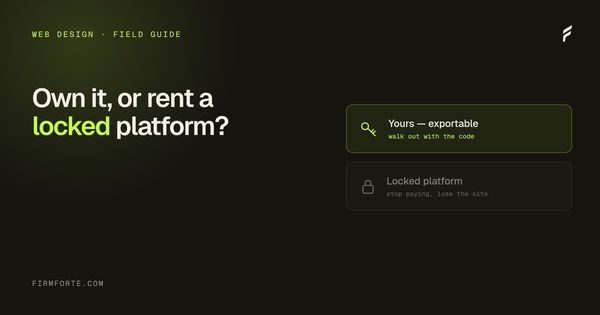
The difference that matters isn't features — it's whether you can leave. WordPress is exportable and any developer can pick it up; a proprietary platform usually means the site exists only while you're paying, and switching means rebuilding. The honest case for proprietary exists, but it's about convenience, and convenience is what you're trading portability for.
For a law firm, the choice between WordPress and a proprietary agency platform is really one question wearing a technical costume: when you want to leave, do you keep your site? WordPress runs a huge share of the web, any developer on earth can maintain it, and it exports cleanly. A proprietary CMS is often faster to sell you and much harder to walk away from. The feature lists will look similar. The ownership terms are opposite, and that's the part that decides this.
Here's the real comparison, past the sales decks, for a firm trying to make a ten-year decision in a one-hour meeting.
What's the actual difference between WordPress and a proprietary CMS?
WordPress is open-source software that anyone can host, edit, and move. A proprietary CMS is software built and owned by one agency, where your site lives on their system and runs by their rules. With WordPress, the site is a thing you possess. With a proprietary platform, it's a thing you rent for as long as you keep paying the landlord.
That difference shows up everywhere once you look. On WordPress, you can hand your site to any developer, move it to any host, and edit it yourself between projects. On a proprietary platform, you're limited to what the agency's tools allow, dependent on their team for changes, and tied to their hosting. Both can produce a good-looking, functional law firm site. The distinction isn't how the site looks on launch day. It's what you're holding six months into a relationship that's gone sour.
Why does WordPress's market share matter to your firm?
Because ubiquity is portability. As of 2025, WordPress powers around 43% of all websites and roughly 61% of every site running a known CMS, per W3Techs. That scale means a deep pool of developers who already know it, an enormous ecosystem of tools, and the safety of never being locked to one vendor.
Put that number in context. The next-biggest platforms trail far behind: Shopify near 5%, Wix under 4%, Squarespace around 2%. WordPress isn't just the leader; it's the default the rest of the industry is measured against. For your firm, that translates into an edge you'll only notice when you need it. If your current developer disappears, quits, or disappoints you, there are thousands more who can pick up a WordPress site without a migration project. A proprietary platform has exactly one shop that can work on it, and it's the shop you're trying to get away from.
What's the honest case for a proprietary platform?
It's real, and it's about convenience. A proprietary, fully managed platform means one vendor handles everything, nothing to think about, and a tightly integrated set of tools that work together because one company built them all. For a firm that wants to write a check and never touch the machinery, that's a genuine appeal, not a scam.
We're not going to pretend the proprietary model has no merits, because it does, particularly for larger firms with the budget for a full managed relationship and no desire to hold any of it in-house. The all-in-one platforms are polished and their integration is a real strength. The question isn't whether the proprietary model works; it's what you trade for that convenience. And what you trade is the thing this whole article is about.
What do you actually give up with a proprietary CMS?
Portability, bargaining power, and often the ability to control your own technical layer. When the site is built on an agency's own software, "taking it with you" usually means rebuilding somewhere else from scratch, because the underlying system doesn't travel. You also inherit their limits: if the platform won't let you deploy custom schema or edit the raw HTML, your AEO is capped at whatever they decide to support.
That last point catches firms off guard. Getting cited by AI engines depends on things you edit at the code level, and a locked platform that won't let you inject custom markup quietly puts a ceiling on your visibility, the same way DIY builders do, which we get into in why website builders hurt law firm AI search. But the biggest loss is the exit. The most common regret in legal marketing is a firm discovering at the end of a relationship that the site was never portable and the domain was never really theirs. That's the trap, and it's structural, and we mapped the whole thing, including a two-hour audit you can run today, in who owns your law firm website.
Isn't WordPress insecure and bloated?
It can be, if it's neglected, and so can anything. WordPress security problems almost always trace back to outdated plugins and skipped updates, not the platform itself. A lean WordPress site with a small number of well-chosen plugins, kept current, is as secure and fast as it needs to be for a law firm. Bloat is a choice, not a requirement.
The "WordPress is insecure" line is often sold by platforms that want you on their proprietary system instead, and it's worth seeing it for what it is. Yes, a WordPress site stuffed with forty random plugins and never updated is a liability. So is any software left to rot. The fix is discipline: minimal plugins, regular updates, decent hosting. That's a maintenance practice, and it's exactly the kind of thing a good build establishes from the start, alongside the design fundamentals that actually convert visitors, which we cover in the five design mistakes that kill conversion on lawyer websites. A well-kept WordPress site isn't a security compromise. It's the portable option that also happens to be safe.
So which should a law firm choose?
For almost every solo and small firm, WordPress, because the portability and ownership are worth more than the convenience of a managed cage. Choose a proprietary platform only if you genuinely want a fully hands-off relationship, have the budget for it, and accept that leaving would mean rebuilding. For most firms, that trade isn't worth it.
The decision comes down to a single question you should ask before you sign anything: if this relationship ends, do I walk away with a working, exportable website? WordPress lets a firm answer yes by default. A proprietary platform usually can't. That's the entire comparison, and it's the axis our whole model turns on, laid out against a big managed platform in FirmForte vs Scorpion. If you're weighing your next build, start by reading the full guide to what a law firm website should cost, take, and leave you owning, then run the free review on your current site. Every site we build ships on WordPress, exportable, in your name, which is detailed on our web design service.
Questions we get about this
-
What's the real difference between WordPress and a proprietary CMS?
Portability. WordPress is exportable and widely known, so any competent developer can take over your site without the previous vendor's cooperation. A proprietary platform is operated by the company that built it, so the site typically exists only for as long as you're a customer, and leaving means rebuilding rather than moving. Feature comparisons mostly miss this, because the features are similar and the exit isn't.
-
Is there an honest case for a proprietary law firm platform?
Yes — it's less to manage. Updates, hosting, security, and support are handled, which genuinely suits a firm with nobody to own a website and no interest in acquiring one. That's a real benefit and worth paying for if you value it. What matters is knowing that you're buying convenience with portability, and deciding that deliberately rather than discovering it when you want to leave.
-
Isn’t WordPress insecure and bloated?
Neither is inherent to WordPress; both come from how it's run. Most compromises trace to outdated plugins and weak credentials rather than to the core software, and most bloat comes from stacking a dozen plugins to do what a few would. A maintained WordPress site with a small, deliberate plugin set is neither slow nor especially exposed. The reputation is real but it describes neglected installs, which is a different thing.
-
Which should a law firm choose?
WordPress, unless you have a specific reason not to and you've accepted the trade. It keeps the site yours, keeps your options open, and doesn't turn a one-time build into rent. If you do choose a proprietary platform, get in writing what you can export and what happens if you stop paying — then plan for a rebuild whenever you leave. The decision is easier to make now than to unwind later.