

The short answer
A law firm website in 2026 realistically costs somewhere between a low-thousands template build and a five-figure custom build, and the range says more about how much original work and strategy is included than about visual quality. Timelines run from days for a template to a few months at the slow end of the agency market. Ownership is the part that outlasts both — get it in writing before design starts.
A law firm website in 2026 runs from about $2,000 for a template to $20,000 or more for a custom enterprise build, with most solo and small firms landing somewhere between $3,000 and $10,000. A good build takes weeks, not months. And the question that matters more than either of those is the one almost nobody asks before signing: when you leave this agency, do you keep the site?
That last question decides whether the first two even matter. A cheap site you don't own can cost you more in a bad exit than an expensive one you control. This guide covers all three: what you should pay, how long it should take, and how to make sure the thing you paid for is actually yours.
What should a law firm website cost in 2026?
Most small and mid-sized firms should expect to pay between $3,000 and $10,000 for a real website in 2026. A simple solo site tends to land around $4,000 to $6,000. Template-based builds run cheaper, roughly $1,500 to $3,000, and enterprise builds for large firms with custom functionality can pass $15,000 to $20,000. Those bands hold up across most 2026 pricing guides. Before you pay for any of it, though, it's worth knowing whether you need a new site at all or just a targeted fix, which we work through in redesign or patch: when a law firm site needs a rebuild.
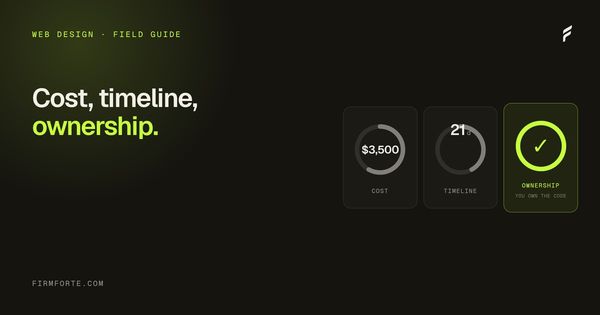
The numbers above aren't ours; they're the market. Several 2026 law firm web-design pricing guides converge on the same ranges. For reference against that market, FirmForte's flat build is $3,500 one-time, posted on the pricing page, which puts a fully custom, AEO-ready law firm site near the bottom of the typical small-firm range instead of the top. We think most firms are overpaying for the tier of site they actually need, and the spread in quotes is where that overpayment hides.
| Build type | Typical 2026 cost | Who it fits |
|---|---|---|
| Template / DIY builder | $1,500 – $3,000 | A firm testing the water, with real trade-offs |
| Custom solo build | $3,500 – $6,000 | Most solo and 2-3 attorney firms |
| Custom small-firm build | $6,000 – $12,000 | Multiple practice areas, stronger branding |
| Enterprise / multi-location | $15,000 – $20,000+ | Large firms, complex functionality |
Why do quotes range from $2,000 to $30,000 for the same thing?
Because "a law firm website" describes at least four different products, and agencies rarely tell you which one you're being quoted. The spread comes from a handful of real variables: whether the design is custom or a skinned template, whether the copy is written for you or filled in with stock text, whether search and AI architecture is built in or bolted on later, and how much agency overhead sits on top of the actual work.
A $2,000 quote and a $12,000 quote can both be honest. One is a template with your logo dropped in and placeholder practice-area text. The other is a custom design, original copywriting in your voice, proper schema and answer-first structure, and a real strategist involved. The problem isn't the price range. It's that both get called the same thing, so you can't compare them until you force each quote to say what's actually inside. Ask every vendor to itemize: design, copy, SEO/AEO, and ownership terms, separately. The quotes stop looking alike fast.
What's the real difference between a $2,000 site and a $10,000 site?
The gap is design, words, and architecture, in that order of what you'll feel. A $2,000 site is usually a template with a stock layout, thin or generic copy, and no real search structure. A $10,000 site should be a custom design built around how your firm actually converts a visitor, with copy written for your practice and technical foundations that let you rank and get cited. The live law firm sites we've built are all in that custom tier, so you can judge the difference on real production pages rather than screenshots.
Design is the visible part, and it matters more than lawyers expect. The wrong layout leaks clients quietly, which we've broken down in the five design mistakes that kill conversion on lawyer websites. Copy is the part cheap builds skimp hardest on, because good legal copywriting is slow and a template can't fake it. And architecture is the invisible tier: schema, crawlable HTML, a structure AI engines can read. You don't see it, but it decides whether you show up in a search or an AI answer at all. Pay for the site that has all three. Skipping any one is how a "cheap" site becomes the expensive kind, the one that doesn't bring in work.
How long should a law firm website take to build?
Weeks, not months. A focused custom build for a solo or small firm should take three to six weeks from kickoff to launch. FirmForte ships in a fixed 21 days. If an agency quotes four to six months for a standard small-firm site, that timeline is usually about their queue and their process, not the complexity of your work.
Long build timelines are where a lot of firms lose momentum and money. You're often paying, or committed, from the day you sign, and every month in "design revisions" is a month your old site is still up and your new one isn't earning. A real build has a schedule you can see: content and structure in the first week, design and build in the middle, review and launch at the end. Ask for the day-by-day plan before you sign. A vendor that runs a tight process can hand it to you on the spot; one that can't is telling you the timeline is elastic. The full breakdown of what a fixed 21-day build actually includes is on the web design service page.
Template, WordPress, or a proprietary platform?
This is the decision that quietly determines everything else, including whether you own your site. In plain terms: a template is fast and cheap but limited and hard to differentiate; WordPress is the portable standard you can take anywhere; and a proprietary agency platform is the one to be careful with, because the site often can't leave it.
DIY builders like Wix, Squarespace, and GoDaddy sit in the template camp. They're fine for a coffee shop and a real handicap for a law firm, because the way they render pages tends to leave firms invisible in AI search, a problem we cover in why website builders hurt law firm AI search. Proprietary platforms are the opposite risk: they're powerful and managed, but the site is built on the agency's own software and doesn't travel when you go. WordPress is the middle path most firms should want, because it runs a large share of the web, any developer can maintain it, and it's fully exportable. We compare the two head to head in WordPress vs a proprietary CMS for law firms. The platform choice isn't a technical footnote. It's the ownership question wearing a different hat, which brings us to the part that matters most.
Who owns your website when you leave?
You should. The domain in your own registrar, the code exportable and yours, the content yours outright, and every account (hosting, analytics, Google Business Profile) in your name with the agency added as a removable manager. If any of those lives with the agency instead, you don't fully own your site, and you'll find out the hard way the day you try to leave.
This is the single most common regret in legal marketing, and it's entirely avoidable. The trap is structural: a firm signs with an agency, the site gets built on a platform the firm can't export, the domain gets registered under the agency's account, and leaving means starting over from nothing. We've written the full diagnostic, including a two-hour audit you can run on your current setup, in who owns your law firm website. The short version is a single test: before you sign anything, get it in writing that if you leave, you walk away with a working, exportable site, the domain, and every login. An agency confident in its work says yes without flinching. One that hesitates is telling you where the power sits, and it isn't with you. We built our whole model around never making a client take that test and flinch, which is also the core of how we compare to a big proprietary platform like Scorpion.
What about ongoing costs after launch?
Budget roughly $500 to $1,000 a month if you want hosting, maintenance, security, and light SEO handled for you, though a firm comfortable in WordPress can run the basics for far less. The build is one number. Keeping the site fast, secure, and current is another, and you should know which you're signing up for before launch, not after.
Where ongoing costs go wrong is bundling and lock-in. Some agencies fold a modest maintenance need into a large mandatory monthly retainer, so you're paying growth-retainer prices for what's really hosting and a plugin update. Others make the ongoing fee the point and the site an afterthought. Separate the two in your head: hosting and maintenance is a real, small recurring cost; an SEO or marketing retainer is a separate decision with its own return — one you size against your own case economics and against what the median legal marketing retainer actually costs — and it should be optional and cancellable, not welded to the fact that your site needs a server. If a "website" quote is actually a long monthly contract in disguise, that's the hidden-fee pattern, and it's worth reading how agencies bury fees in contracts before you sign.
What does a law firm website actually need?
Less than most agencies sell you. A solo or small firm needs a strong homepage, a page per practice area, an honest attorney bio, a contact page that makes calling easy, and the technical foundation to be found. Five or six pages that convert beat twenty that don't, which we break down page by page in the five pages every solo law firm website needs. The extras are usually there to justify the price, not to bring in cases. Whatever pages you build, they should be accessible to every visitor, which is both good practice and a real litigation risk covered in ADA accessibility for law firm websites.
The pages that earn their place do specific jobs. Your homepage has seconds to build trust, which comes down to a handful of concrete elements we've mapped in the five homepage elements that build trust. Each practice-area page should answer the questions a client in that situation actually types, in their words, with the answer up top where both a reader and an AI engine can grab it. Your bio should read like a real person a nervous client would want on their side, not a résumé. And the whole thing has to load fast and render cleanly for a crawler, which comes down to the speed metrics we explain in Core Web Vitals for law firm websites. Nail those and you don't need a fifteen-page site. You need five or six pages that each do their job.
Questions we get about this
-
Is a cheap template site ever the right call?
Sometimes, as a deliberate stopgap. A brand-new solo attorney testing whether a practice will support itself can reasonably start on a template and upgrade later. Just go in knowing the trade-offs: weaker differentiation, thinner search performance, and a rebuild coming. It's a bridge, not a destination, and it's the wrong choice for a firm that already has cases to protect.
-
Should I pay monthly for my website or once?
Prefer a one-time build you own, plus a small, separate, cancellable fee for hosting and maintenance if you want it handled. Be wary of "website" offers that are really long monthly contracts, where you never actually own the site and stop having one the moment you stop paying. A build is a purchase. A retainer is a subscription. Don't let one be sold to you disguised as the other.
-
Do I need a custom design, or is a template really that much worse?
A custom design earns its cost in two places: how the site converts and how it differentiates you from the three other firms using the same template two towns over. For a firm competing for real cases, that gap pays for itself. For a hobby practice or a placeholder, a template is fine. Match the spend to whether the site has a job to do.
-
What's the one thing to get in writing before I sign?
Ownership. Specifically: if you leave, you keep a working, exportable website, the domain in your own registrar, and every account login. Get that in the contract, in plain language, before design starts. Everything else on this page is a preference. That one is the difference between hiring a vendor and being captured by one.