

The short answer
Search Google for site:yourfirm.com first. If nothing appears, Google doesn't have your site at all, and the cause is usually a noindex tag or a robots.txt block you can find in minutes. If your pages do appear, you're indexed but outranked, which is a different problem with a different fix. Between those two poles sit a too-new site and a local-results issue with your Business Profile. Check in that order and you'll know which problem is yours inside ten minutes.
"We don't show up on Google" is four different problems wearing the same symptom: your site isn't in Google's index at all, your own site is telling Google to stay out, your site is new and Google hasn't finished with it, or you're indexed fine and simply outranked. Each has a different fix, and two of them cost nothing but a checkbox. The checks below run in the order that eliminates the scary causes fastest. Work through them before you pay anyone to fix anything.
The five checks, in order
- Search
site:yourfirm.com. This lists every page Google has from your domain. Pages appear: you're indexed, skip to check 5. Nothing appears: Google doesn't have your site, continue to check 2. - Look for a noindex tag. View your homepage's source (right-click, "View Page Source") and search for
noindex. If it's there, your site is explicitly asking Google to leave it out. - Check robots.txt. Visit yourfirm.com/robots.txt. A line reading
Disallow: /underUser-agent: *blocks crawlers from the whole site. - Ask how old the site is. Launched in the last few weeks? Indexing takes days to weeks, and ranking takes longer. This may be patience, not a defect.
- Separate "absent" from "outranked," and organic from Maps. If
site:shows your pages but clients can't find you, you're on page three, or your Google Business Profile has the problem, not your website.
Here's what each result means and what to do about it.
Same symptom, five different problems
A noindex tag or a robots.txt block is hiding the site. Remove it, request indexing. Costs a checkbox.
Two lines can wall off the whole domain. Delete the Disallow, and while you're there, check what it tells the AI crawlers.
Ranking takes months, not days. Page five after six weeks isn't broken. It's new.
You're in the contest and losing it: thin pages, an unreadable build, no authority. This is where SEO actually happens.
The map pack is a different system. Start with whether your Business Profile is verified and not suspended.
The first two cost nothing to fix. The rest have honest, slower paths. Knowing which one you're on is the whole point of checking.
If nothing is indexed: your site is probably hiding itself
The most common cause is self-inflicted and invisible to you as a visitor. A noindex tag, one line of code, tells Google to exclude a page from results, and Google documents that it does exactly that. It lands on live law firm sites by accident constantly: a redesign that launched from a staging copy with the tag still on, or WordPress's "discourage search engines from indexing this site" checkbox ticked during development and forgotten. The site looks perfect. It's also invisible.
The robots.txt file is the same story with a different mechanism: two lines can ask crawlers to skip your whole site. The distinction matters a little (blocked pages can occasionally still appear, noindexed ones won't), but for your purposes the fix is the same. Remove the tag or the block, then use the URL Inspection tool in Google Search Console to request indexing. Search Console is free, takes minutes to set up, and its Page Indexing report will tell you precisely why any page is excluded, in Google's own words rather than an agency's.
Robots.txt has a second life now: it also decides which AI crawlers can read you. While you're looking at yours, our free AI crawler access checker shows what it tells GPTBot, ClaudeBot, and the rest, line by line.
If the site is just new: know what normal looks like
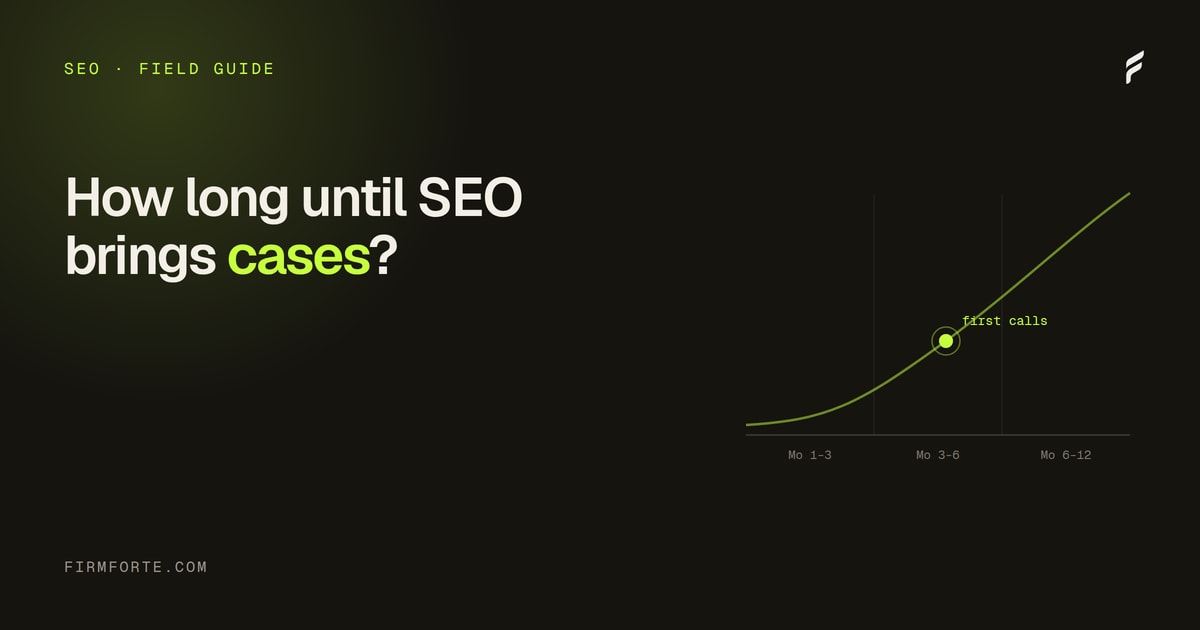
Google finding a new site takes days to a couple of weeks, faster with a sitemap submitted in Search Console. Ranking for searches that bring clients takes months, and that's not a defect or a scam; it's the compounding curve every new legal site rides. We've written out the realistic timeline so you can tell normal from stalled. The tell for "stalled": months in, indexed, and still invisible for your own firm name. That's worth investigating. Page five for "car accident lawyer" after six weeks is just Tuesday.
If you're indexed but invisible: you're outranked, which is a different problem
This is the most common real situation: site: shows your pages, your firm name finds you, but the searches that bring clients don't. Nothing is broken. You're in the contest and losing it, which has known causes: thin practice-area pages, a site built by a page builder that crawlers struggle to read, no authority signals. The fixes are the substance of the law firm SEO guide. One quick diagnostic worth running first: our crawler's-eye view tool shows the literal text a crawler extracts from your homepage. If that comes back nearly empty, you've found the problem, and it's covered in readable without JavaScript.
If the website ranks but the map listing is missing: that's a different system
The map pack doesn't run on your website. It runs on your Google Business Profile: verification, categories, address, reviews. A firm can rank organically and be absent from Maps because the profile was never verified, got suspended, or lists a category that doesn't match the search. The setup path is in GBP setup to map pack. If the profile was working and vanished, it's likely suspended, and the reinstatement path is its own article.
Ten minutes, then you know
Run the five checks and you'll leave with a diagnosis instead of a worry: hidden, blocked, new, outranked, or a Maps problem. Two of those you can fix today for free. The others have honest, slower paths, and knowing which one you're on is the difference between paying for the right work and paying for activity. If you'd rather have the diagnosis run for you, the free checker reads your site the way a crawler does and scores what it finds in about twenty seconds.
Questions we get about this
-
How do I check if Google has indexed my law firm's website?
Search for site:yourfirm.com in Google. That operator lists every page Google has from your domain. A healthy small firm site shows its homepage, practice pages, and posts. If it returns nothing, you have an indexing problem, not a ranking problem. If it returns pages but searches for your own firm name don't, something else is going on and the later checks apply.
-
What is a noindex tag and how would it get on my site?
A one-line instruction in a page's code that tells Google not to include it in results. It gets onto live sites by accident more often than anyone would like: a redesign launched from a staging copy that carried the tag over, or a WordPress checkbox ("discourage search engines") ticked during development and never unticked. One checkbox can hide an entire site, and the site looks completely normal to visitors the whole time.
-
How long does it take a new law firm website to show up on Google?
Indexing usually starts within days to a couple of weeks, especially if you submit your sitemap in Google Search Console. Ranking is the slower part: showing up somewhere is not showing up where clients look. For the realistic curve from launch to actual cases, see our guide on how long law firm SEO takes. A new site that's indexed but ranking on page five isn't broken. It's just new.
-
Why does my firm show in Google results but not on Maps?
Because they're different systems. The map pack runs on your Google Business Profile: its verification, categories, address, and reviews. Your website's ranking barely touches it. If the website ranks and the map listing is missing, start with whether the profile is verified and not suspended, then look at categories and address consistency. Our GBP setup guide walks the whole path.